
Where can I get the software for the i803 LCD Display?

How do I set up the theme content?
– Select a preset theme and make simple edits like images or text –
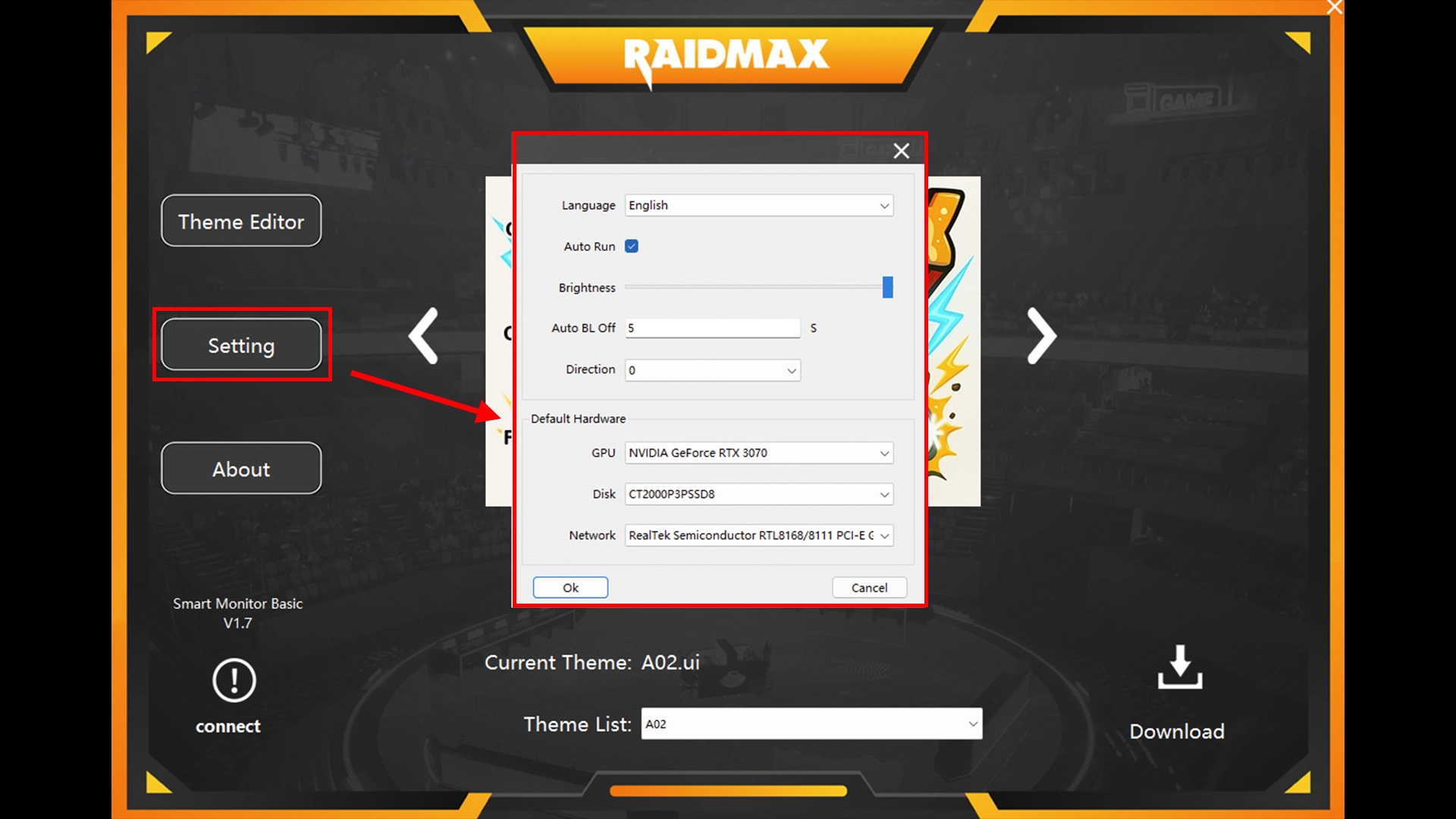
STEP 1. Setting
( Auto Run: It pops up automatically on startup )
( Direction : Rotate the screen orientation )
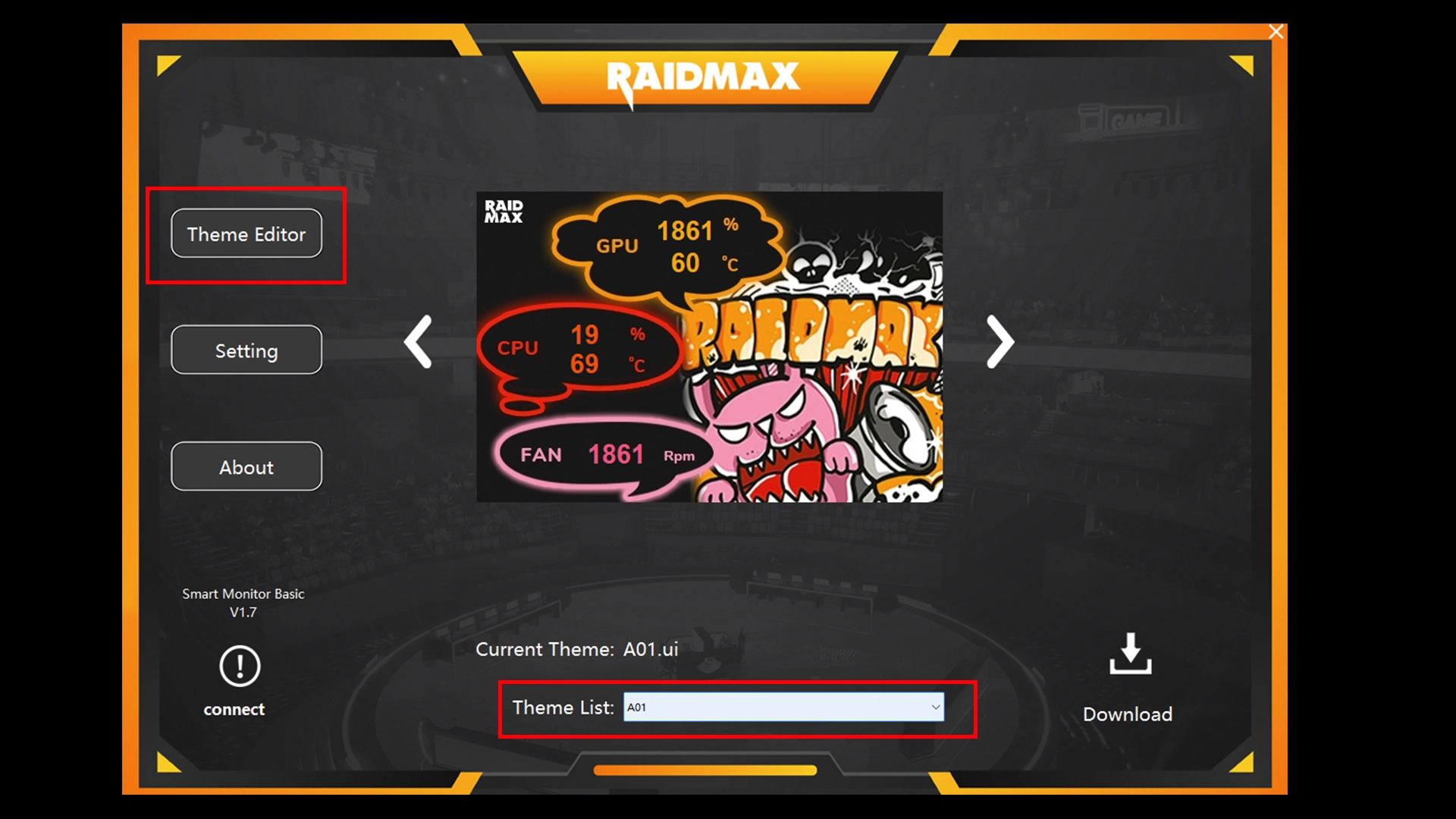
STEP 2. Select a theme to edit
( You can choose a preset theme to edit )
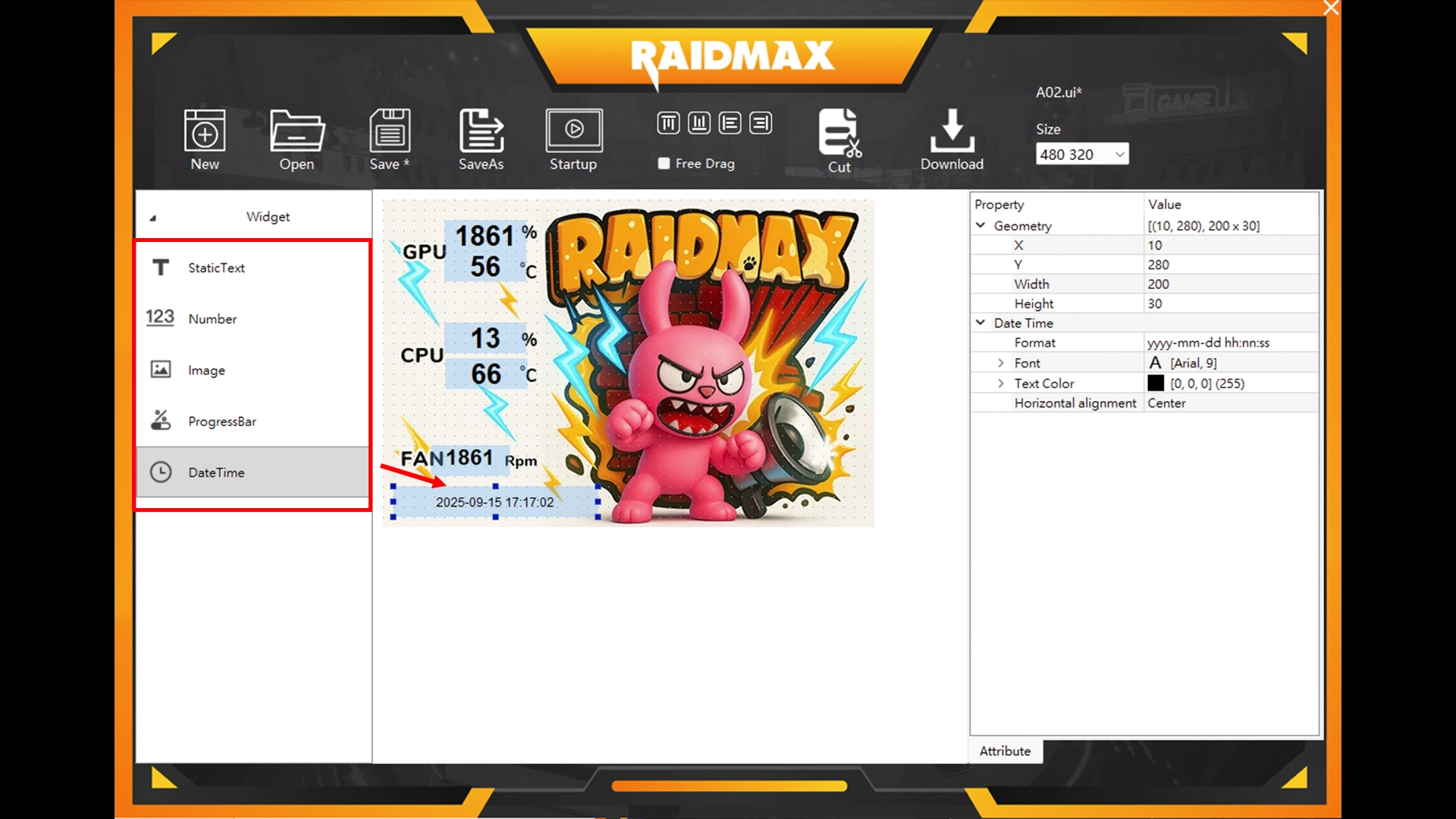
STEP 3. “Drag” items from the left panel into the layout
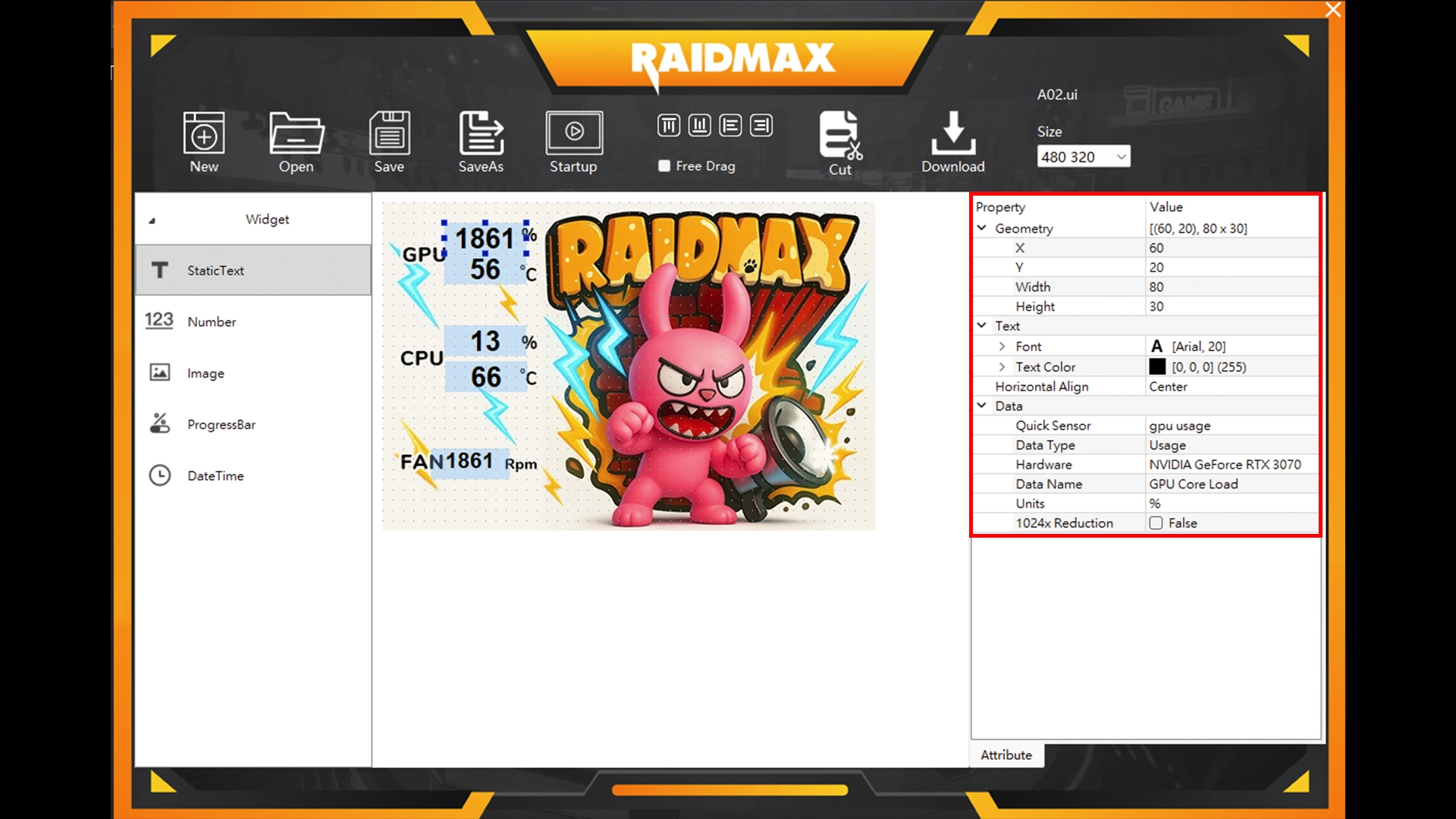
STEP 3-1. Edit the parts you want to modify
( Adjust colors, fonts, and other styles to your preference )
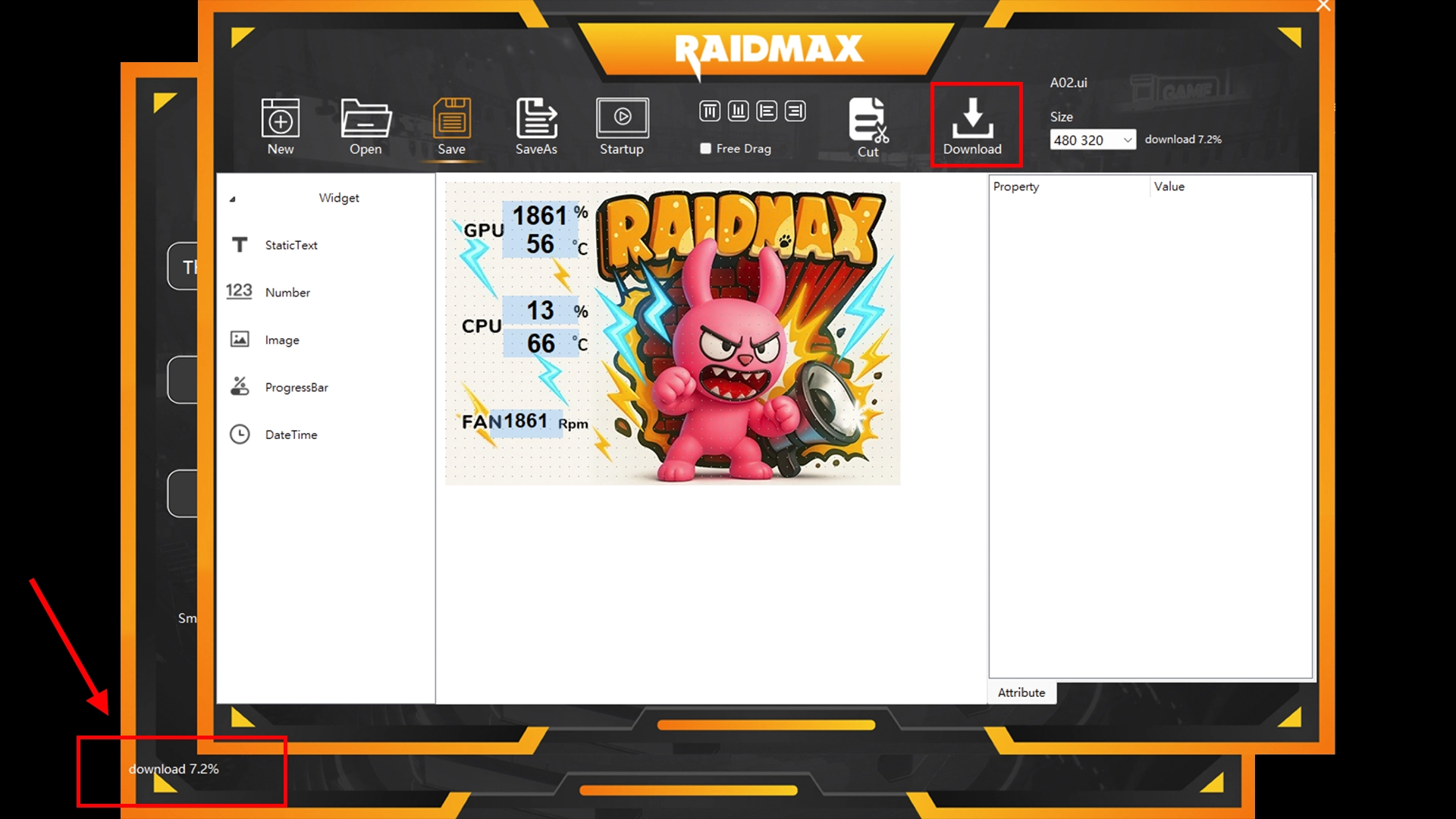
STEP 4. “Save As” and “Download”
( Add a new folder during Save As )

STEP 4-1. “Download” and wait a moment
( You can see the download progress in the bottom-left corner of the home screen. )
How can I fully customize the theme?
– Fully customize their own screen –